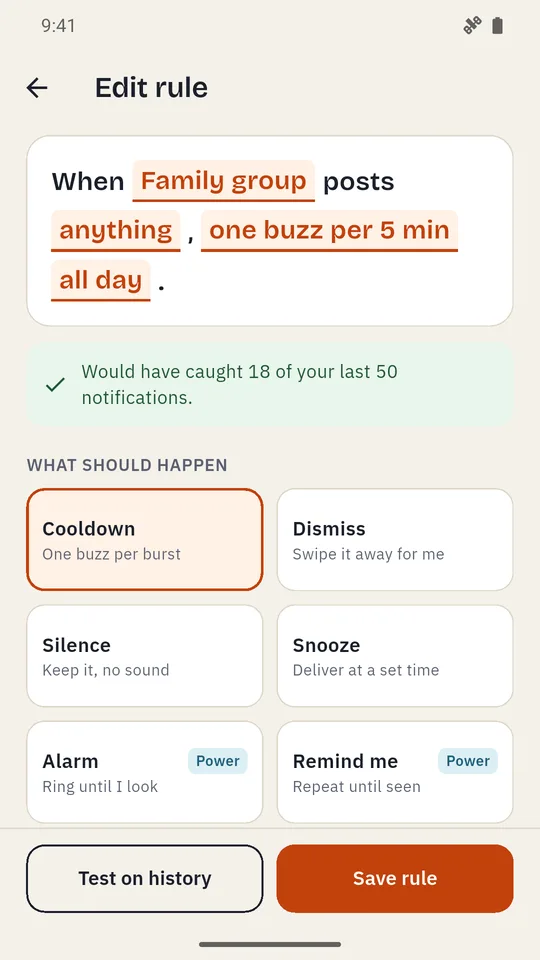
Write it like a sentence. Test it first.
Tap any part of the sentence to change the apps, the words, what happens and when. No menus to dig through.
Every rule shows how many of your last 50 notifications it would have caught, and which ones.
 Mutewise
A free notification manager for Android. Write rules in plain sentences, test them on your recent notifications, and let them run.
Get it on Google PlayFree · No account · Your notifications never leave your phone
Tap the orange words to change the rule. Counted on 50 sample notifications; in the app it's your own.
One chat, forty buzzes. Muting it means you miss the message that was for you.
Promos on top of everything. Deals and "you might like" bury the alerts you need.
Blockers quietly stop. Battery saver puts them to sleep, and the noise comes back.
Tap any part of the sentence to change the apps, the words, what happens and when. No menus to dig through.
Every rule shows how many of your last 50 notifications it would have caught, and which ones.
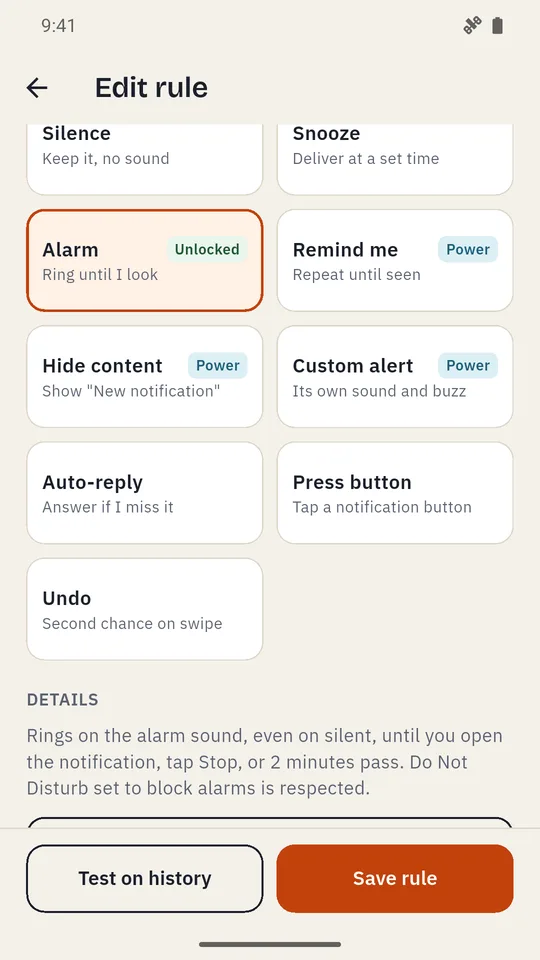
Mute notifications by app, word and time. A busy group chat buzzes once per burst. Promos are swiped away for you. A doorbell camera alert rings like an alarm, even on silent.
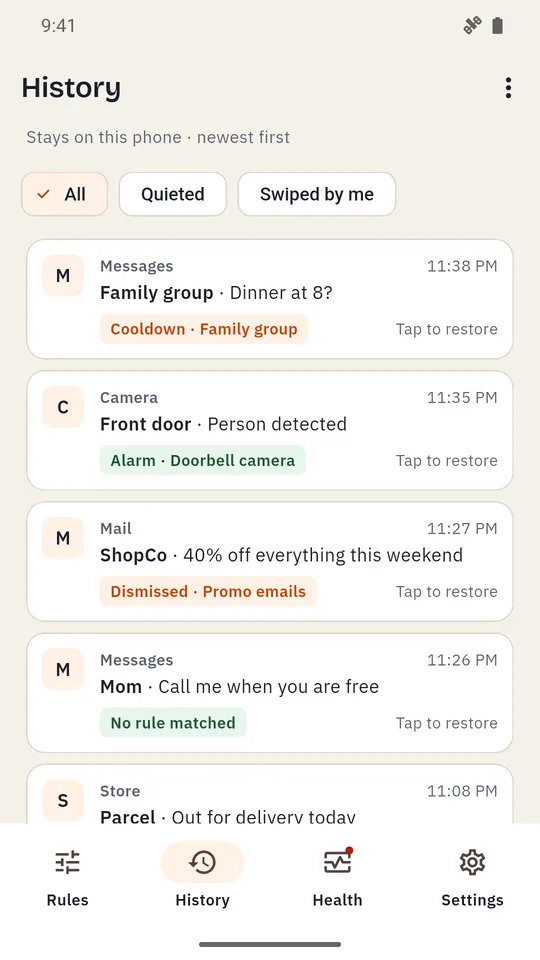
See every notification Mutewise saw and which rule acted on it. Swiped something by mistake? Tap it and it's back in your notifications.
Your last 300 notifications, kept on your phone only.
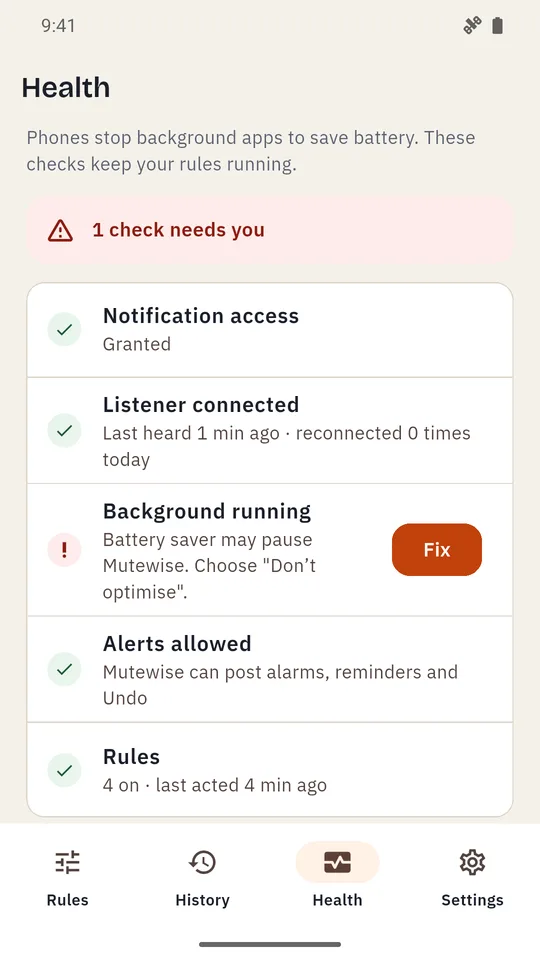
Phones stop background apps to save battery, which is why many notification blockers stop working. Health checks access, the background connection and battery settings.
Each problem gets a Fix button that opens the exact setting, with steps for popular phone brands.
The real screens: write a rule, test it, pick an action, restore from history and fix a health check.
Yes. Mutewise is supported by ads, with no banner ads. Every rule works without paying. Four power actions (Alarm, Remind me, Hide content, Custom alert) turn on for a rule after one optional short video, and stay on for good.
It reads notifications on your phone to match your rules, and that is where they stay. There is no account, and the internet is used only to show ads.
No. Calls, alarms and ongoing notifications are never touched, and Mutewise never changes your ringer mode. On silent, it stays silent.
Phones stop background apps to save battery. Mutewise watches for that on its Health screen and shows a one-tap fix, with steps for popular phone brands.
Every notification Mutewise saw is in History with the rule that acted on it. Tap to restore it to your notifications.
Free, no account, and any rule turns off with one tap.